

Have you ever wanted to have a "menu" in your AVR that you can interact with over a serial connection? This guide show you exactly how to do it.
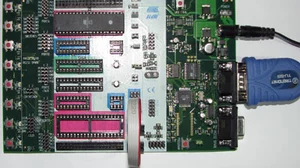
STK500 Setup
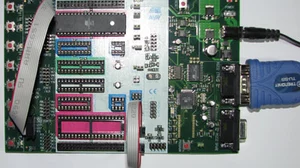
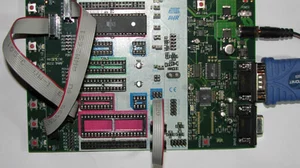
You should leave your STK500 setup exactly the same as it was setup for the previous guide, AVR USART Serial Communications.
Required Functions
You should already have all of the functions that you need from the previous guide:
- usart_init
- usart_getchar
- usart_purchar
- usart_pstr
- usart_kbhit
We are going to use these functions to make a menu that processes keyboard hits, and continues to do normal processing in a way that appears to multitask. All of the work is in our main loop. Here is a psuedocode representation of what this program does:
Loop Forever
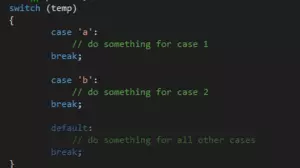
If a key has been hit on the keyboard, process it If it is 'a', turn all lights on If it is 'b', turn all lights off Otherwise, display error on screen
If a button is pressed on the STK500, process it If it is SW0, increment a count and display binary value on lights If it is SW1, invert lights
Goto Top Of Loop
Putting it All Together
Here is the program listing that accomplishes the above psuedocode. Notice that the only changes from the previous guide are in the main loop.
// ********************************************************************************
// Includes
// ********************************************************************************
#include <avr/io.h>
#include
#include

// ********************************************************************************
// Macros and Defines
// ********************************************************************************
#define BAUD 19200
#define MYUBRR F_CPU/16/BAUD-1
// ********************************************************************************
// Function Prototypes
// ********************************************************************************
void usart_init(uint16_t ubrr);
char usart_getchar( void );
void usart_putchar( char data );
void usart_pstr (char *s);
unsigned char usart_kbhit(void);

// ********************************************************************************
// Main
// ********************************************************************************
int main( void ) {
    // define some local variables
    unsigned char input;
    uint8_t value;
    value = 0;

    // configure PORTA as output
    DDRA = 0xFF;
    // setup PORTB data direction as an input
    DDRB = 0;
    // make sure it is high impedance and will not source
    PORTB = 0;
    // fire up the usart
    usart_init ( MYUBRR );
    // dump some strings to the screen at power on
    usart_pstr("Ready to rock and roll!\n\r");
    usart_pstr("Type in a character, and I will transpose it up by 1:\n\r");
    // main loop
    while(true) {
        // if a key has been pressed, then process it
        if(usart_kbhit()) {
            input = usart_getchar();
            switch (input) {
                case 'a':
                    usart_pstr("You pressed 'a'. Turning all lights on.\n\r");
                    PORTA=0x00;
                    break;
                case 'b':
                    usart_pstr("You pressed 'b'. Turning all lights off.\n\r");
                    PORTA=0xFF;
                    break;
                default:
                    usart_pstr("I don't know what to do with that key.\n\r");
            }
        }
        // hold down SW0 to count binary patterns to the LEDs
        if(bit_is_clear(PINB,PB0)) {
            usart_pstr("Incrementing value and setting up the lights.\n\r");
            value++;
            PORTA = ~value;
        }

        // hold down SW1 to invert the LED's
        if(bit_is_clear(PINB,PB1)) {
            usart_pstr("Inverting the light values.\n\r");
            PORTA = ~PORTA;
        }
    }
}

/********************************************************************************
usart Related
********************************************************************************/
void usart_init( uint16_t ubrr) {
    // Set baud rate
    UBRRH = (uint8_t)(ubrr>>8);
    UBRRL = (uint8_t)ubrr;
    // Enable receiver and transmitter
    UCSRB = (1<<RXEN)|(1<<TXEN);
    // Set frame format: 8data, 1stop bit
    UCSRC = (1<<URSEL)|(3<<UCSZ0);
}
void usart_putchar(char data) {
    // Wait for empty transmit buffer
    while ( !(UCSRA & (_BV(UDRE))) );
    // Start transmission
    UDR = data;
}
char usart_getchar(void) {
    // Wait for incoming data
    while ( !(UCSRA & (_BV(RXC))) );
    // Return the data
    return UDR;
}
unsigned char usart_kbhit(void) {
    //return nonzero if char waiting polled version
    unsigned char b;
    b=0;
    if(UCSRA & (1<<RXC)) b=1;
    return b;
}
void usart_pstr(char *s) {
    // loop through entire string
    while (*s) {
        usart_putchar(*s);
        s++;
    }
}
You can download the complete source code here. It should compile down to 712 bytes and be ready to download in to your chip. Once it is downloaded, every time you reset your AVR you should see Ready to rock and roll! printed on screen. If you do not see that, then something is not quite right.
A Note about USART Speed
You might notice that when you hold down SW0 the lights update pretty slowly. This is because each time the lights are updated, the AVR has to send a long string out the USART. Think about how usart_pstr works. It transmits a single character, then waits for the USART to be ready. This effectively blocks the rest of the program from running until the entire string is printed. Try a few modifications to this program to see how big of a difference this can make.
- Try initializing the USART at 9600 baud instead of 19200 baud. The lights will update much slower. Don't forget to change the settings in your terminal program or you will get garbage on screen.
- Try making your strings that you print to the screen much shorter. Each character that you trim off the string will make the program loop faster.
- Try commenting out the usart_pstr lines for the switches and you should see the loop run at it's maximum speed. In fact, it runs so fast that you can't see the lights update at all, they just get a little dimmer. Then when you let go of SW0 there is a random bit pattern displayed. That USART is REALLY slowing us down.
Up Next, printf
In C, there is a function called printf that is heavily used on computers. Continue on to our next guide to see how to use printf on your AVR microcontroller. Or head back to our index of AVR Guides here.